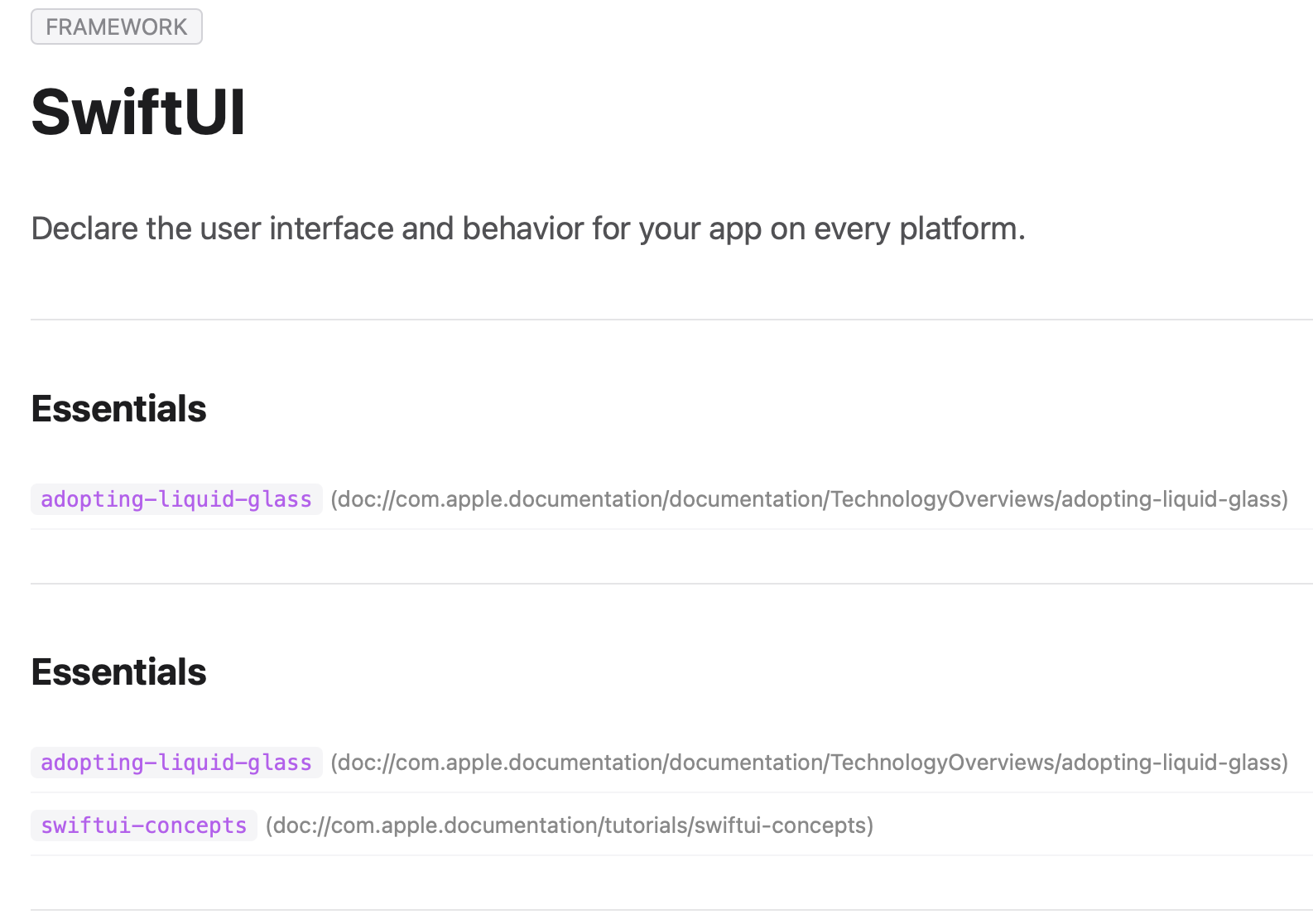

オフラインで動作するドキュメントViewerアプリDashが表示するコンテンツは、brotli圧縮されたアップルのDocC JSONに格納されている。検索キー(e.g. SwiftUI Framework)からコンテンツの取り出し方を探ってみた。
検索キー
DBファイル: Resources/docSet.dsidx テーブル: searchIndex
| カラム名 | 説明 | 例 |
|---|---|---|
| name | 検索キー(クラス名、メソッド名、関数名、ガイド名など) | UIView, Accelerate, viewDidLoad |
| type | シンボルの種類 | Class, Struct, Method, Property, Framework, Guide等 |
| path | ドキュメント表示用のパス・URL | dash-apple-api://load?… |
検索キーとシンボルタイプをCSV形式で出力
sqlite3 -separator ',' docSet.dsidx \
      "SELECT DISTINCT name, type FROM searchIndex ORDER BY type, name;" >
  search_keys_with_types.csv
コンテンツ
name=SwiftUI type=Frameworkに対するpath
sqlite> select * from searchIndex where name='SwiftUI' and type='Framework';
id|name|type|path
14948|SwiftUI|Framework|dash-apple-api://load?request_key=ls/documentation/swiftui#<dash_entry_language=occ><dash_entry_menuDescription=SwiftUI><dash_entry_name=SwiftUI>
14949|SwiftUI|Framework|dash-apple-api://load?request_key=ls/documentation/swiftui#<dash_entry_language=swift><dash_entry_menuDescription=SwiftUI><dash_entry_name=SwiftUI>
あるいは
sqlite> select * from searchIndex where path like '%documentation/swiftui%' limit 3;
id|name|type|path
14948|SwiftUI|Framework|dash-apple-api://load?request_key=ls/documentation/swiftui#<dash_entry_language=occ><dash_entry_menuDescription=SwiftUI><dash_entry_name=SwiftUI>
14949|SwiftUI|Framework|dash-apple-api://load?request_key=ls/documentation/swiftui#<dash_entry_language=swift><dash_entry_menuDescription=SwiftUI><dash_entry_name=SwiftUI>
14956|Accessibility fundamentals|Guide|dash-apple-api://load?request_key=ls/documentation/swiftui/accessibility-fundamentals#<dash_entry_language=occ><dash_entry_menuDescription=SwiftUI.Accessibility%20fundamentals><dash_entry_name=Accessibility%20fundamentals>
pathの一部をrequest_keyにしてcacheテーブルを検索するとrequest_key_aliasが得られる
sqlite> select * from cache where request_key='ls/documentation/swiftui';
id|name|request_key|inheritance|usr|request_key_alias
10253|SwiftUI|ls/documentation/swiftui|||lsRP1B3qxf
cache.dbファイルのrefsテーブルからResources/Document/fs/39にコンテンツが格納されていることがわかる
sqlite> select * from refs where uuid='lsRP1B3qxf';
row_id|uuid|data_id|offset|length
10275|lsRP1B3qxf|39|0|37332
または、
sqlite> select * from cache where request_key='ls/documentation/swiftui';
id|name|request_key|inheritance|usr|request_key_alias
10253|SwiftUI|ls/documentation/swiftui|||lsRP1B3qxf

sqlite> attach database 'cache.db' as cache;
sqlite> select * from cache.refs where uuid='lsRP1B3qxf';
row_id|uuid|data_id|offset|length
10275|lsRP1B3qxf|39|0|37332

sqlite> SELECT
    c.name,
    c.request_key,
    r.uuid,
    r.data_id AS target_file,
    r.offset,
    r.length
FROM
    cache AS c
INNER JOIN
    cache.refs AS r ON c.request_key_alias = r.uuid
WHERE
    c.request_key = 'ls/documentation/swiftui';
   ...>     c.name,
   ...>     c.request_key,
   ...>     r.uuid,
   ...>     r.data_id AS target_file,
   ...>     r.offset,
   ...>     r.length
   ...> FROM
   ...>     cache AS c
   ...> INNER JOIN
   ...>     cache.refs AS r ON c.request_key_alias = r.uuid
   ...> WHERE
   ...>     c.request_key = 'ls/documentation/swiftui';
name|request_key|uuid|target_file|offset|length
SwiftUI|ls/documentation/swiftui|lsRP1B3qxf|39|0|37332
バイナリファイルfs/39はbrotli圧縮ファイルで次のコマンドで解凍できる google/brotli at 8e10eeb3378f6c459dbaf033ca6727e9816afccb
brotli -dc fs/39 | dd bs=1 skip=0 count=37332 status=none > 39_part.json # DocC JSON
DocC JSONの抜粋
{
  "kind": "symbol",
  "topicSections": [
    {
      "anchor": "Essentials",
      "title": "Essentials",
      "identifiers": [
        "doc://com.apple.documentation/documentation/TechnologyOverviews/adopting-liquid-glass",
        "doc://com.apple.documentation/tutorials/swiftui-concepts",
        "doc://com.apple.documentation/tutorials/Sample-Apps",
        "doc://com.apple.SwiftUI/documentation/SwiftUI/Landmarks-Building-an-app-with-Liquid-Glass"
      ]
    },
...
JSONキーとdoc:// URI
| JSON キー | 内容 | 説明 |
|---|---|---|
| metadata | タイトル、ロール、プラットフォーム | title: “SwiftUI”, role: “collection” など |
| abstract | 概要説明文 | ページの冒頭に表示される要約、テキスト配列 |
| topicSections | トピック分類とシンボル一覧 | Essentials, App structure, Views等のグループと所属シンボル識別子 |
| seeAlsoSections | 関連ドキュメント | 関連するガイドやチュートリアルへのリンク |
| primaryContentSections | 本文詳細 | 宣言文(Declaration)や詳細な使い方のブロック |
doc://URI は、ドメイン部分を除去して小文字化し、先頭に言語コード(Swiftの場合はls/)を付けることで、Docset 内部の検索キー(request_key)に変換できる。
| doc://識別子の例 | 変換後のrequest_key (Swift) |
|---|---|
| doc://com.apple.SwiftUI/documentation/SwiftUI/Landmarks-Building-an-app-with-Liquid-Glass | ls/documentation/swiftui/landmarks-building-an-app-with-liquid-glass |
| doc://com.apple.documentation/documentation/TechnologyOverviews/adopting-liquid-glass | ls/documentation/technologyoverviews/adopting-liquid-glass |
| doc://com.apple.documentation/tutorials/swiftui-concepts | ls/tutorials/swiftui-concepts |
同様なJSONは次のコマンドでも得られる
curl -s "https://developer.apple.com/tutorials/data/documentation/swiftui.json" -o swiftui_doc.json
DocC JSONからHTMLへ
#### Python 変換スクリプト例 (render_docc.py)
import html
import json
import sys

def docc_json_to_html(json_path, output_html_path):
  with open(json_path, "r", encoding="utf-8") as f:
    data = json.load(f)

  # タイトル・ロール
  title = data.get("metadata", {}).get("title", "SwiftUI")
  role = data.get("metadata", {}).get("roleHeading", "Framework")

  # 概要 (Abstract) のテキスト抽出
  abstract_parts = []
  for item in data.get("abstract", []):
    if item.get("type") == "text":
      abstract_parts.append(html.escape(item.get("text", "")))
    elif item.get("type") == "codeVoice":
      abstract_parts.append(f"<code>{html.escape(item.get('code', ''))}</code>")
  abstract_html = "".join(abstract_parts)

  # トピックセクション (topicSections) の抽出
  topics_html = []
  for section in data.get("topicSections", []):
    sec_title = html.escape(section.get("title", ""))
    sec_anchor = html.escape(section.get("anchor", ""))
    items_html = []
    for ident in section.get("identifiers", []):
      # "doc://com.apple.SwiftUI/documentation/SwiftUI/Views" -> "Views"
      name = ident.split("/")[-1]
      items_html.append(
          f"<li><code>{html.escape(name)}</code> <small style='color:#888'>({html.escape(ident)})</small></li>"
        )

      topics_html.append(f"""
          <div class="section">
              <h2 id="{sec_anchor}">{sec_title}</h2>
              <ul>{''.join(items_html)}</ul>
          </div>
          """)

    # HTML テンプレートの組み立て
  html_content = f"""<!DOCTYPE html>
  <html lang="ja">
  <head>
      <meta charset="UTF-8">
      <title>{html.escape(title)} - Apple Reference</title>
      <style>
        body { font-family: -apple-system, BlinkMacSystemFont, "Segoe UI",
        Roboto, Helvetica, Arial, sans-serif; max-width: 860px; margin: 40px auto; padding: 0 20px; line-height: 1.6; color: #1d1d1f; }
        .badge { background: #f5f5f7; border: 1px solid #d2d2d7; padding: 2px 8px; border-radius: 4px; font-size: 0.85em; color: #86868b; text-transform:
        uppercase; }
        h1 { margin-top: 8px; font-size: 2.4em; }
        .abstract { font-size: 1.2em; color: #515154; margin: 20px 0 40px 0; }
        .section { margin-top: 32px; border-top: 1px solid #e5e5e7; padding-top: 16px; }
        h2 { font-size: 1.4em; color: #1d1d1f; }
        ul { list-style-type: none; padding-left: 0; }
        li { padding: 6px 0; border-bottom: 1px solid #f5f5f7; }
        code { background: #f5f5f7; padding: 2px 6px; border-radius: 4px; font-family: ui-monospace, Menlo, Monaco, monospace; color: #bf5af2; }
      </style>
  </head>
  <body>
      <span class="badge">{html.escape(role)}</span>
      <h1>{html.escape(title)}</h1>
      <div class="abstract">{abstract_html}</div>
      {''.join(topics_html)}
  </body>
  </html>"""

  with open(output_html_path, "w", encoding="utf-8") as f:
    f.write(html_content)

  print(f"HTML を生成しました: {output_html_path}")

if __name__ == "__main__":
  docc_json_to_html("39_p.json", "swiftui.html")